
Download 3D Human Anatomy – Interactive, Free, Cross‑Platform Teaching Aid
Overview of 3D Human Anatomy
3D Human Anatomy is a powerful, free teaching aid that brings the complexity of the human body to life through interactive, high‑resolution 3‑D models. Designed for educators, medical students, and anyone curious about how the body works, this software offers a seamless blend of visual fidelity and educational depth. Whether you are delivering a lecture in a classroom, conducting a virtual lab on a tablet, or exploring anatomy in a VR headset, the program adapts to your platform while preserving a consistent learning experience.
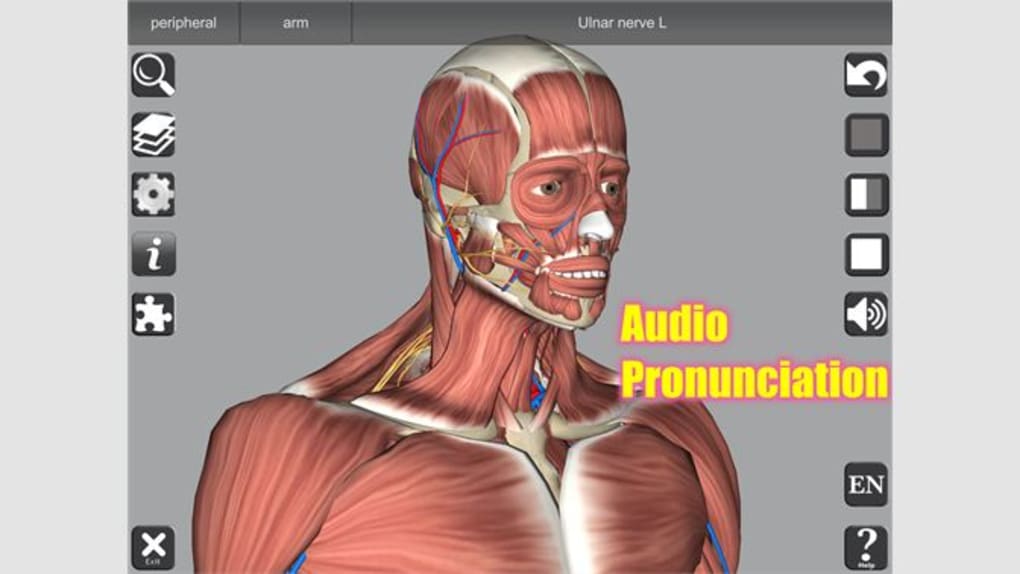
The core idea behind 3D Human Anatomy is to replace static textbook diagrams with manipulable, rotatable structures that can be examined from any angle. Users can zoom in to see the fine details of muscles, bones, nerves, and organs, and then pull back to understand how each component fits into the larger system. In addition to the visual component, the app integrates audio pronunciations of anatomical terminology, interactive quizzes, and a virtual dissection mode that lets learners experiment without the mess of a cadaver lab.
Because the software is free, schools and independent learners alike can adopt it without worrying about licensing fees, while still gaining access to a suite of advanced features that rival paid alternatives. The latest version, which is the most widely adopted, includes multiple body models, an extensive library of views, and the ability to annotate structures for custom lesson plans. Overall, 3D Human Anatomy provides a modern, immersive approach to anatomy education that aligns with today’s digital learning environments.
Key Features & Capabilities
What Sets 3D Human Anatomy Apart?
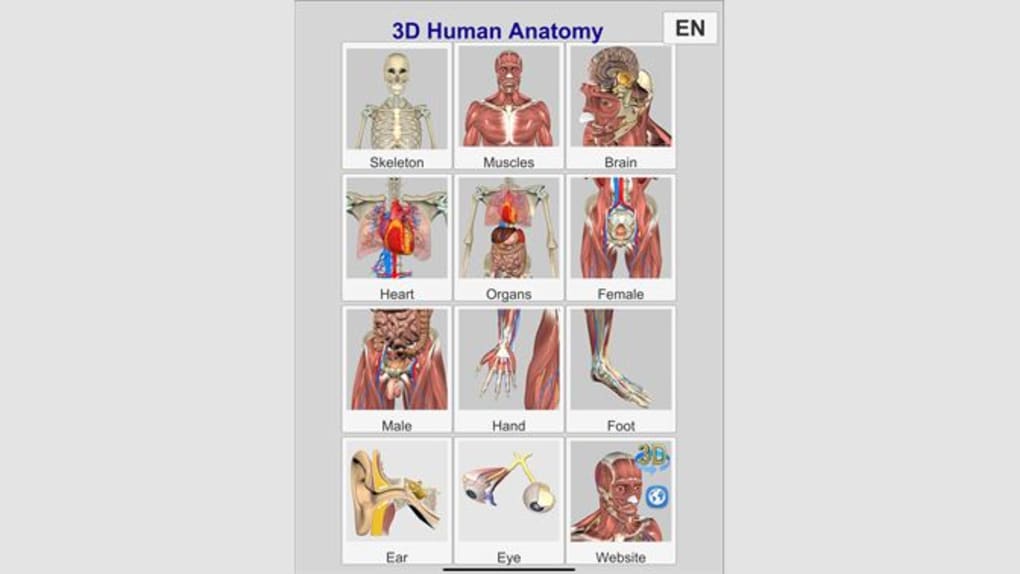
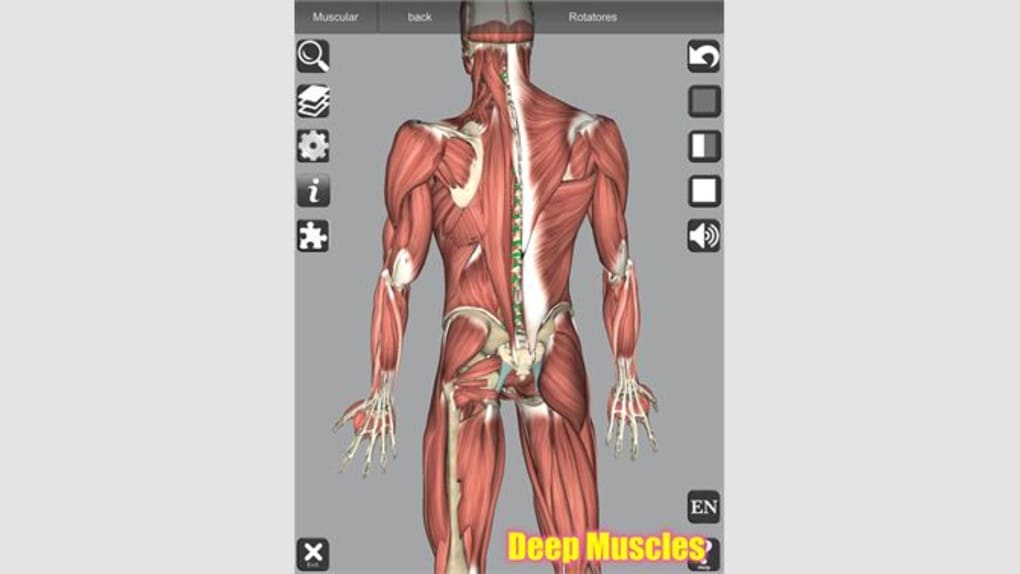
- High‑resolution 3‑D models of the entire human body, with separate layers for skeletal, muscular, vascular, and nervous systems.
- Interactive zoom and rotation allowing detailed inspection of each structure.
- Audio pronunciation of over 5,000 anatomical terms to reinforce proper terminology.
- Virtual dissection tool that lets users “remove” layers without permanent alteration.
- Built‑in practice quizzes with instant feedback to test knowledge retention.
- Cross‑platform support: Windows, macOS, Android, iOS, and major VR headsets.
- Annotation system for educators to highlight, label, or add notes directly on the model.
- Exportable lesson packs that can be shared with students via a simple URL.
- Free core version with optional paid expansions for additional body models and advanced simulation tools.
- Regular updates that incorporate the latest anatomical research and user‑requested features.
The feature set is deliberately designed to serve both novice learners and advanced students. For beginners, the audio pronunciations and clear labeling remove the intimidation factor often associated with complex terminology. More experienced users can dive into the virtual dissection mode, which mimics real‑world cadaver work but with the flexibility to reset at any moment.
The quiz module is adaptive; as students answer correctly, the software presents increasingly challenging questions, ensuring a progressive learning curve. Moreover, the annotation capability empowers teachers to craft bespoke lessons, highlighting clinical relevance such as the relationship between a particular muscle and its innervation. Because the software is regularly updated, new discoveries—like updated muscle origin points or revised nerve pathways—are seamlessly integrated, keeping curricula current without manual intervention.
Installation, Usage & Compatibility
Getting Started in Minutes
Installing 3D Human Anatomy is straightforward across all supported platforms. On Windows and macOS, download the installer from the official website, run the executable, and follow the on‑screen prompts. The installer automatically checks for required graphics drivers and prompts you to update if needed, ensuring optimal performance. For mobile devices, simply locate “3D Human Anatomy” in the Apple App Store or Google Play Store, tap “Install,” and launch the app. VR users can download the appropriate version for Oculus Quest, HTC Vive, or other supported headsets directly from the in‑app store within the VR environment.
Supported Operating Systems:
- Windows 10 and later (64‑bit)
- macOS 10.14 Mojave and later
- Android 8.0 Oreo and later
- iOS 13 and later (iPad and iPhone)
- VR platforms: Oculus, SteamVR, and Windows Mixed Reality
Once installed, launch the program and create a free account using an email address. This account syncs your progress across devices, allowing you to start a lesson on a desktop and continue it on a tablet or VR headset. The main dashboard presents three primary modes: Explore (free navigation of models), Quiz (practice assessments), and Dissect (layer‑by‑layer removal). Switching between modes is as simple as clicking the corresponding tab at the top of the screen. For educators, the “Classroom” tab provides a shared workspace where multiple participants can view the same model in real time, making remote teaching more interactive.
Performance-wise, the software is optimized to run smoothly on modest hardware. On a typical laptop with integrated graphics, 60 FPS is maintained at medium detail; on high‑end gaming rigs or dedicated VR setups, users can enable ultra‑high detail textures for an even more lifelike experience. The app also includes a “Low‑Power Mode” for older tablets, reducing polygon counts while preserving educational value.
Pros, Cons & Frequently Asked Questions
Pros & Cons
- Pros:
- Completely free core version—no hidden fees.
- Cross‑platform support including VR, ensuring wide accessibility.
- Rich set of interactive features such as virtual dissection and audio pronunciations.
- Regular updates keep anatomical data current.
- Educator‑focused tools like shared classrooms and annotation.
- Cons:
- Free version includes a limited number of body models; advanced models require purchase.
- High‑resolution graphics may tax very old devices.
- No built‑in integration with external LMS platforms (requires manual linking).
- Some users report occasional lag when loading multiple layers simultaneously.
FAQ – Your Questions Answered
Is 3D Human Anatomy really free?
Yes, the core application is completely free. You can download, install, and use all basic features without paying. Optional premium expansions are available for users who need additional body models or advanced simulation tools.
Which devices can I run the software on?
The software supports Windows 10+, macOS 10.14+, Android 8.0+, iOS 13+, and major VR headsets such as Oculus Quest, HTC Vive, and Valve Index. A single account syncs your data across all platforms.
Can I use the app for classroom teaching?
Absolutely. The “Classroom” mode lets educators create shared sessions where students can view the same 3‑D model in real time. Teachers can annotate structures, control the camera, and launch quizzes directly from the interface.
Do I need a powerful graphics card?
While high‑end graphics improve visual fidelity, the app runs comfortably on most modern laptops and tablets. A “Low‑Power Mode” is available for older hardware, reducing detail without sacrificing educational content.
How often is the software updated?
Updates are released quarterly, with additional minor patches as needed. Each update may include new anatomical data, UI improvements, and bug fixes to keep the learning experience smooth and current.
3D Human Anatomy delivers a comprehensive, immersive experience that rivals many paid alternatives. Its free core version provides enough depth for high‑school and undergraduate courses, while the optional premium packs cater to advanced medical training. The intuitive interface, combined with robust cross‑platform support, makes it a standout tool for modern anatomy education.
Conclusion & Call to Action
In a world where digital learning is becoming the norm, 3D Human Anatomy emerges as a versatile, free, and feature‑rich solution for anyone looking to explore the intricacies of the human body. Its high‑quality 3‑D visualizations, interactive quizzes, and VR compatibility create a learning environment that is both engaging and academically rigorous. Whether you are a teacher preparing a lesson, a student studying for exams, or a hobbyist fascinated by anatomy, this software offers a seamless pathway to deeper understanding without the cost barrier of traditional cadaver labs or expensive commercial packages.
Ready to transform your anatomy lessons? Download 3D Human Anatomy now and start exploring the human body in three dimensions—free, secure, and instantly across all your devices. Join the growing community of educators and learners who have already upgraded their anatomy experience.







